Mapping with Insta360 X3
Our main asset at Kanach Yerevan is a "crowdsourced" tree map that we build manually. The most time-consuming part of the work is determining the coordinates of a new tree using imprecise phone GPS and ground orientation. There are many factors that significantly reduce the efficiency of this "in the field" process, and I am looking for ways to make this process more technological to speed it up.
Why it's needed
Two main problems in manual mapping are people and time. People are the volunteers who are ready to walk around the city and add trees to the map. In general, they are not very willing to gather, especially at -10°C, +40°C, in the rain, or when the city landfill is on fire (which covers 80% of the time). Using Street View allows this laborious work to be moved to a home environment, distributed, and used to find remote volunteers.
Time is critical because we usually map reactively: when plans for cutting down a street or several streets are announced, we map them first. But we may not have 4-6 weeks for this, because we have significantly fewer volunteers than city gardeners involved in cutting. One person can shoot the current state of a street in a few minutes by car or in a few hours on foot. And then we will have material on hand that will allow us to visually assess the condition of the trees.
And most importantly: this is a step towards automation. With images available, one can look for ways to recognize trees and determine their coordinates automatically, which could hypothetically remove a huge part of the burden from people. All that remains is to walk past them with measuring instruments, which is much faster than determining coordinates.
I found an Insta360 X3 camera for experiments to understand how well this approach works in practice before buying a camera. The camera has two main operating modes.
Interval Photo
This mode is best suited for pedestrian shooting. In this mode, the camera takes one photo every 3 seconds at the highest possible resolution (11968×5984 or 72MP) and saves a pack of photos. At an average walking speed, this results in one frame every 4 meters, which is quite sufficient for mapping. The detail is enough to see serious damage on the images, identify the tree species, and record its general appearance.
Each .insp file is a JPEG with two circular images from the front and back lenses and a bunch of metadata.
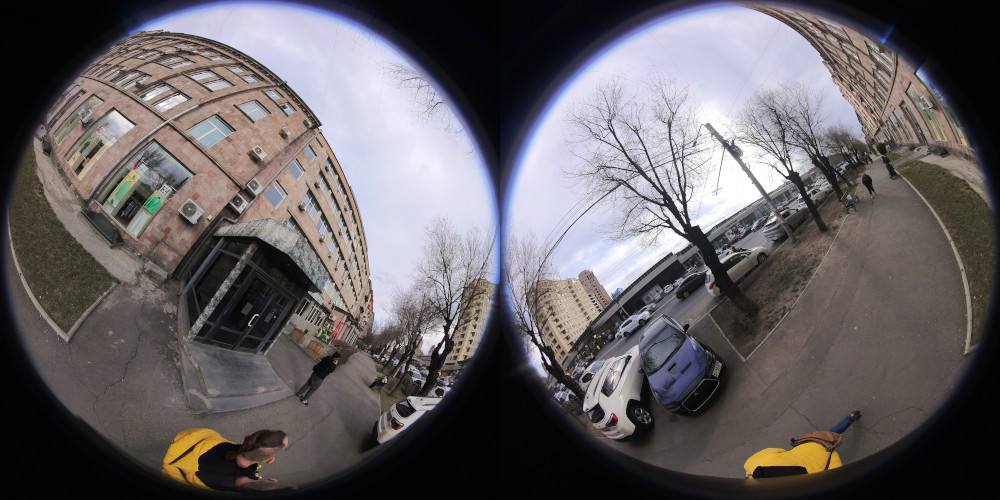
In their raw form, they are not very suitable for use: they need to be converted using Insta360 Studio. The output is a more understandable image in an "equirectangular" projection, standard for all services working with 360 images. Along the way, all images are leveled vertically and aligned to the compass.
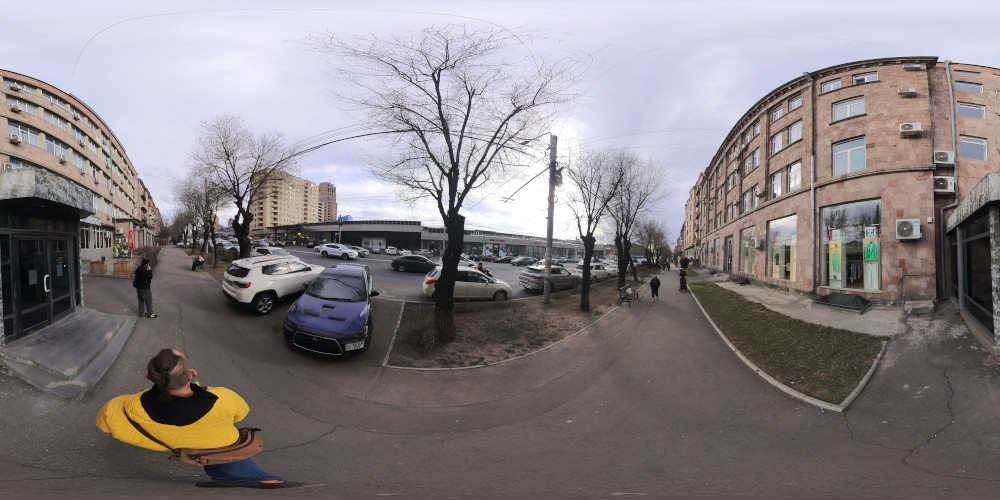
The camera doesn't write GPS coordinates in interval photo mode at all; they must be collected separately. I used GPS Logger. I put the files obtained from Insta360 Studio into a converted folder, put a GPX track next to them, and wrote the coordinates into the images:
exiftool -geotag "$GPX_FILE" "-geotime<"'${DateTimeOriginal}+04:00' -overwrite_original converted/
In general, that's it. You get a folder with geotagged images. It can be loaded directly into Mapillary Desktop Uploader, unnecessary ones removed, and uploaded to the cloud.
Interval Video
This mode is more suitable for shooting from a car, bicycle, or scooter. The camera records video at a resolution of 7680×3840 (8K, 29MP) with an interval of 0.2 seconds, i.e., 5 frames per second. At an average city speed of 40 km/h, you get one frame every 2.2 meters, which is quite sufficient for mapping needs. The result is a time-lapse video that needs to be worked on to link it with a GPS track, but this is all easily automated. I wrote Python scripts for myself that automate most of the work.
After processing the video, you get the same pack of JPEG files with coordinates. I double-checked their coordinates and cleaned up the junk in Photini, then uploaded them to Mapillary.
Some Conclusions
Overall, I am leaning towards working with video time-lapse.
- It is applicable for both pedestrian and car shooting, requiring fewer different operations.
- It is available on all 360 cameras, unlike interval photo.
- Formally, the resolution is different, but in fact, it's impossible to distinguish a broad-leaved elm from a small-leaved one even at 72 megapixels, and the tree's location and general appearance are well understood at 29 megapixels.
- Mapillary as a platform is generally good, but for the target map, we need something of our own, where there won't be a mess of tracks, but only one most recent for each street, with the ability to view the archive. This is a plan for the very distant future.
Discovered Problems
GPS Quality. The camera does not have its own GPS receiver (which is generally typical for 360 cameras). It can be connected to a phone and it will somehow record coordinates, but the results I got were terrible. It is much more practical to stick to the approach where the GPS track is recorded by a separate device, in my case—a phone and GPS Logger.
Time Drift. The file creation time recorded by the camera is not suitable for subsequent synchronization with GPS. For example, in my case, it was not only 9 seconds different from the start time of the recording, but the camera also wrote the time zone incorrectly (it saved local time as UTC). The best solution is to show the time on the device recording the GPS (in my case, the phone) when starting the recording, ideally in the very first frame. Then you can write the correct exact time into the file:
DATE="2026-02-26T08:53:17.000000Z" exiftool -CreateDate="$DATE" -ModifyDate="$DATE" -TrackCreateDate="$DATE" -MediaCreateDate="$DATE" src/stretched.mp4